
We've got an exciting upgrade to the Hub to announce. Some might call it... a Hubgrade.
In this release, we have two new features to help you manage your technology.
Ticket Kanban
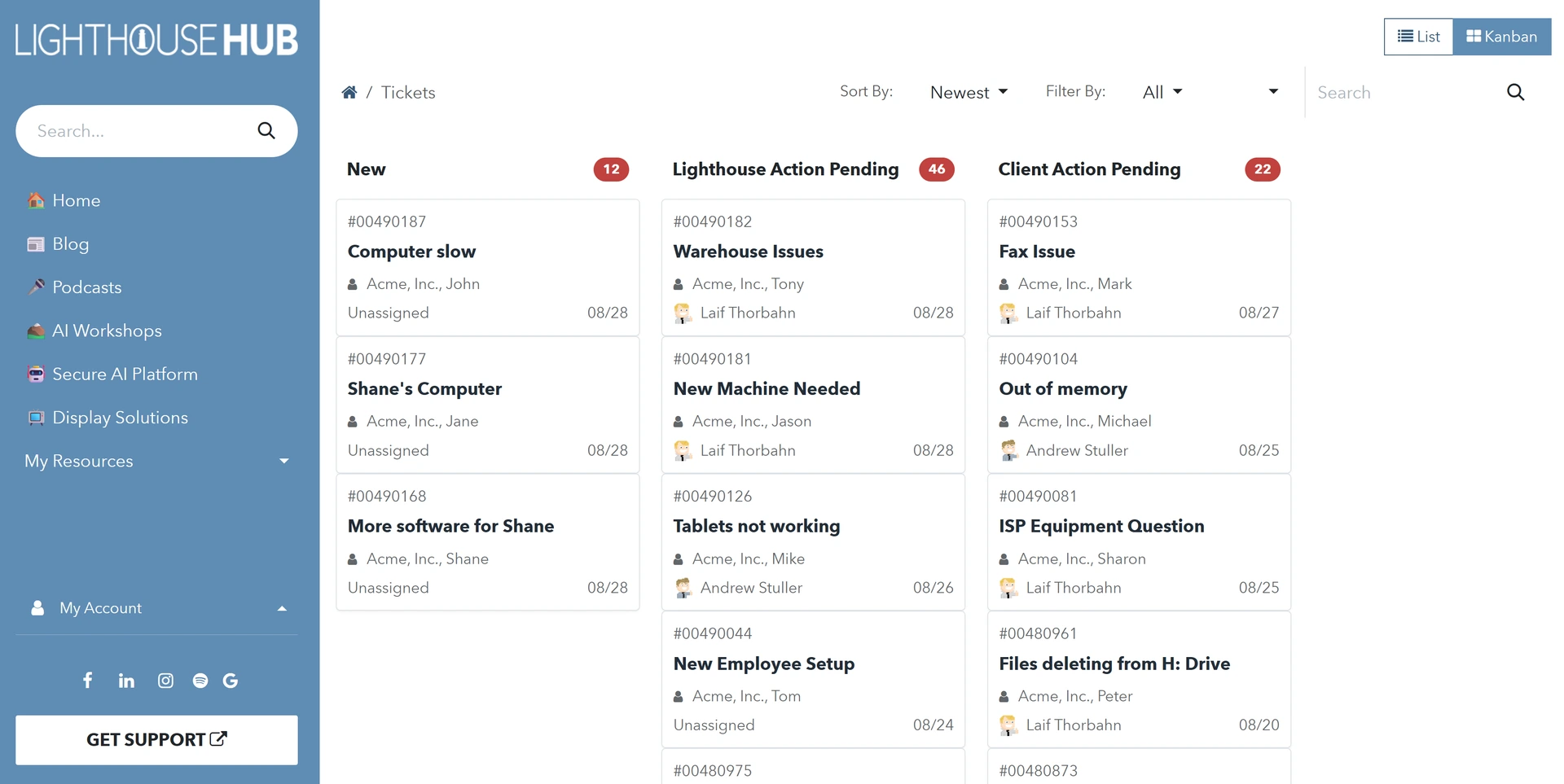
Sometimes, it can be hard to view the status of your tickets, especially when a lot is going on. By client demand, we're excited to release Kanban view for Client Admins in the Hub.
The new Kanban view organizes tickets as cards grouped by their current status, making it easier to see where each ticket is in its lifecycle and who each ticket belongs to.
IT Asset Manager
Keeping track of all of your computers can often seem maddening. They can get moved around, experience issues or failures, require upgrades, or simply need to be retired.
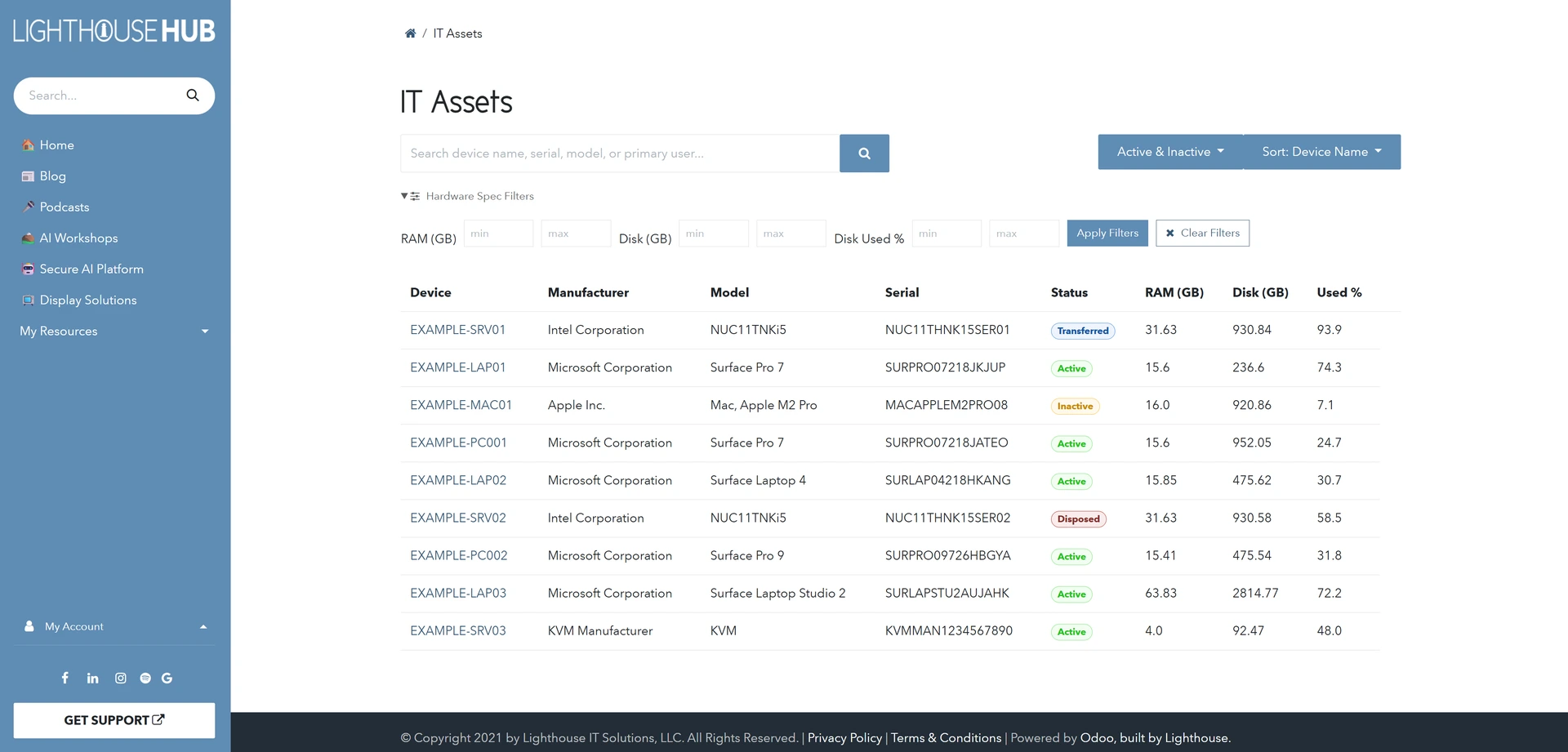
To help our Harmony clients better understand the condition of their hardware on their networks, our IT Asset Manager (ITAM) is launching on the Hub.
The IT Asset Manager is available to our Client Admin users and provides a list of all the managed hardware our team is monitoring.
The Hub's ITAM offers basic system information, the responsible user (when available), and warranty status (coming soon as part of a follow-up patch).
As those devices are retired, it also provides the mechanisms for you (or Lighthouse) to record how the device has been disposed of (i.e. Lost/Stolen, Donated, Recycled, etc.).
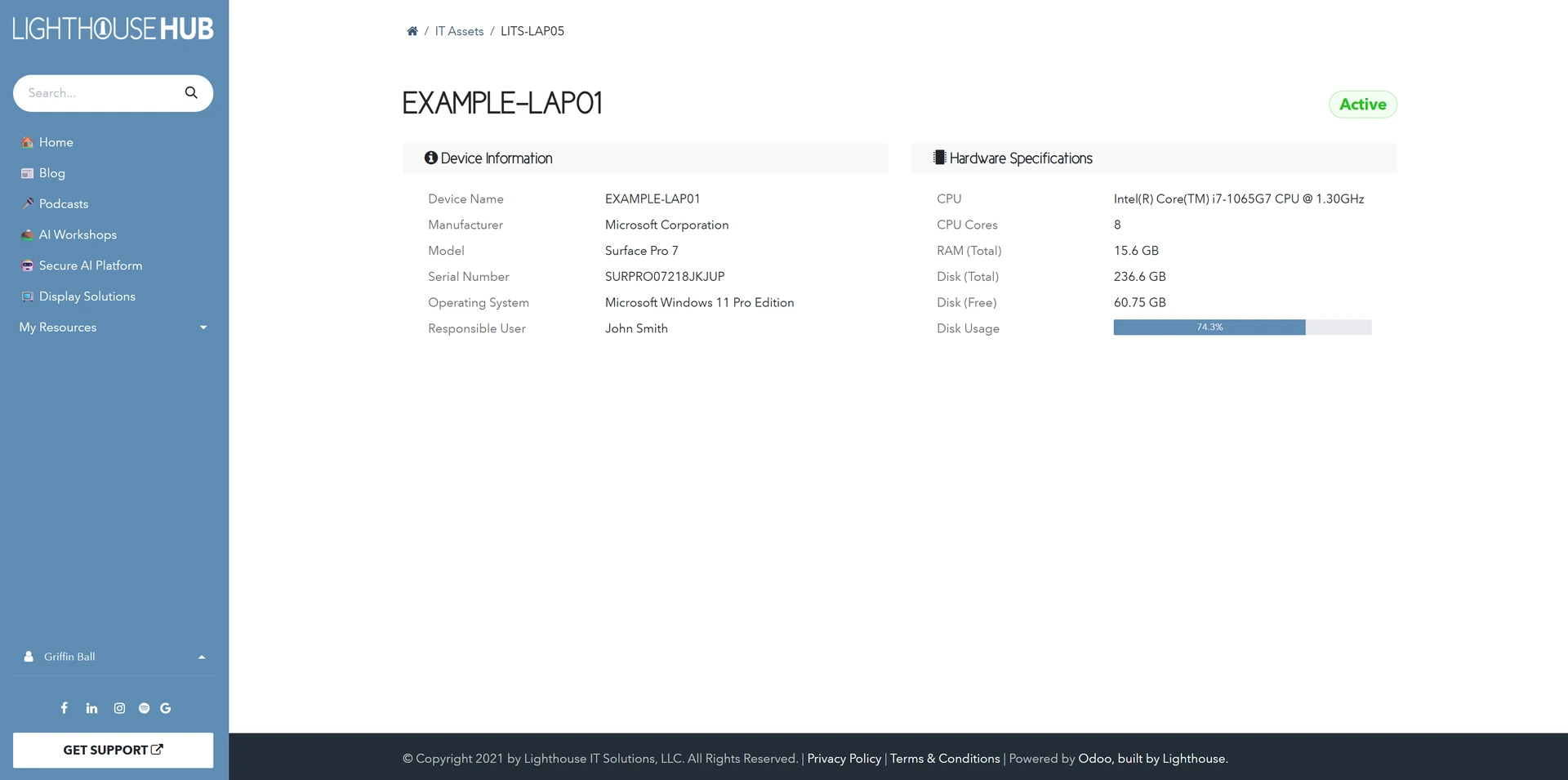
More importantly, it's largely automated. By integrating the ITAM Module with our Harmony Insight platform, the ITAM Module stays up to date automatically. The only manual intervention required is for tracking the physical disposal.
Check out our Lighthouse Labs demo on the IT Asset Manager! IT Asset Manager Demo
Now you can know what happened to every computer in your fleet moving forward. I'm excited to have you start checking it out - we'd love to hear your feedback.
Simply go to the Hub, click on your profile name, and click "My Account" -- if you're eligible, the "IT Assets" module will be waiting for you!
Please reach out if you have any questions!